Envy Pro 6475 Specs, Features, and Value: Is it worth the price tag?
In the modern home office ecosystem, the printer often occupies a complicated space. Once the centerpiece of digital productivity, it is now frequently relegated to a corner, only summoned when a physical contract needs a signature or a child requires a last-minute school project. However, the HP Envy Pro 6475 All-in-One printer seeks to bridge the gap between the occasional home user and the demanding remote professional. Part of a lineage designed for aesthetic appeal and wireless versatility, the 6475 is positioned as a comprehensive solution for those who demand more than just basic document production. This analysis explores whether its integration of high-end features and a simplified ink delivery model justifies its standing in a crowded and often frustrating peripheral market.
The Envy Pro 6475 is not merely a printer; it is a multi-functional hub that incorporates printing, scanning, copying, and mobile faxing into a chassis that prioritizes a clean, minimalist design. Unlike the bulky, gray-beige plastic machines of the previous decade, the 6475 adopts a "neutral furniture" approach, intended to blend into a bookshelf or a modern desk setup without drawing undue attention. Yet, beneath this sleek exterior lies a sophisticated array of hardware and software integrations designed to mitigate the traditional pain points of home printing: connectivity drops, manual document feeding, and the perennial anxiety of running out of ink at the precise moment a deadline looms.
Detailed Product Analysis and Technical Specifications
To understand the value proposition of the Envy Pro 6475, one must look closely at its core performance metrics. It utilizes thermal inkjet technology, a staple for HP, which ensures vibrant color transitions and sharp black text. While laser printers might hold the crown for pure text speed, the 6475 is optimized for variety—it handles glossy photo paper just as capably as it does standard 20lb bond paper or heavy cardstock for craft projects.
The internal hardware is structured to support a workload of up to 1,000 pages per month, though the recommended volume is closer to 100 to 400 pages. This suggests it is built for the "prosumer"—the professional who works from home but doesn't necessarily need to print entire manuscripts every week. With a print speed of approximately 10 pages per minute (ppm) for black and white and 7 ppm for color, it respects the user's time without attempting to mimic the rapid-fire output of a corporate floor-standing unit.
The Auto-Document Feeder (ADF) and Scanning Capabilities
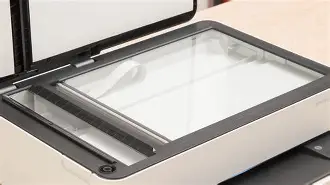
One of the defining features that elevates the "Pro" designation of this model is the 35-page Automatic Document Feeder. For many home users, scanning a ten-page document via a flatbed is a tedious chore involving constant lifting and placing. The ADF on the 6475 allows for hands-free productivity, which is a critical use case for small business owners or those digitizing historical family documents. When paired with the HP Smart App, the scanning experience becomes truly mobile-first. The ability to scan a document directly to a cloud service like Google Drive, Dropbox, or a professional email address transforms the hardware from a static machine into a dynamic gateway for digital organization.
Connectivity: Self-Healing Wi-Fi
Perhaps the most significant technological inclusion is the dual-band Wi-Fi with "self-healing" capabilities. Historically, the greatest failure of wireless printers was their tendency to lose connection to the local network, requiring complex troubleshooting or a full hardware reset. The 6475 actively monitors its connection and automatically detects and resolves connectivity issues by switching frequency bands or re-establishing the handshake with the router. In a household where multiple devices are competing for bandwidth—gaming consoles, smart TVs, and video conferencing—this stability is a major benefit for buyers who lack the patience for IT troubleshooting.
Real-World Use Cases
When considering the 6475, buyers typically fall into three categories. The first is the remote professional who occasionally needs to print high-stakes documents. For this user, the "Smart Tasks" feature in the software is invaluable. They can create one-touch shortcuts to scan a signed contract and have it automatically uploaded to a specific client folder and emailed to a partner simultaneously. This reduces the friction of administrative work, making the "Pro" in the name feel earned.
Discover deals on Electronics — updated daily.
See Deals →The second use case involves family management and education. With the rise of hybrid learning, parents often find themselves printing worksheets, coloring pages, and project rubrics. The 6475's ability to print double-sided automatically (auto-duplexing) is a practical feature here, saving paper and creating more professional-looking reports for students. Furthermore, the borderless printing capability allows for 4x6 or 5x7 photos to be printed at home with a quality that rivals local drug-store kiosks, provided the correct photo paper is used.
The third use case is the "side-hustle" or small craft business. Because the 6475 uses a traditional two-cartridge system (one black, one tri-color), it is very easy to maintain. Some users prefer this over the more complex individual color tank systems if they aren't printing thousands of photos, as it simplifies the replacement process. The machine's small footprint also makes it ideal for those working out of a shared living space or a studio apartment.
Pros and Cons
- Pro: Seamless Mobile Integration. The HP Smart App is widely considered one of the best in the industry, allowing for printing from social media, cloud storage, and even scanning with the phone's camera when away from the printer.
- Pro: Aesthetic Design. Its low-profile build and lack of a protruding paper tray (the paper is tucked into an internal cassette) make it much more visually appealing than standard office equipment.
- Pro: Auto-Duplexing. Automatic two-sided printing is an essential eco-friendly and cost-saving feature that helps reduce paper waste by up to 50%.
- Pro: Self-Healing Wi-Fi. Reduces the frequency of modern "Printer Offline" errors that plague wireless peripherals.
- Con: High Cost per Page without Instant Ink. For those who choose to buy cartridges at retail stores individually, the cost of ink can be significantly higher than with laser or Continuous Ink Supply System (CISS) printers.
- Con: Tri-Color Cartridge Limitations. If you run out of yellow ink but have plenty of cyan and magenta, you must replace the entire tri-color cartridge, which can feel wasteful.
- Con: Modest Speed. While sufficient for home use, it may feel slow during long print runs of 50 pages or more.
Comparison with Competing Models
To determine if the price tag is justified, it is helpful to see how the Envy Pro 6475 stacks up against its peers in the same price bracket. The table below compares the 6475 with a standard "Home" model and a "Small Office" dedicated unit.
| Feature | HP Envy 6055e (Standard) | HP Envy Pro 6475 (Professional Home) | OfficeJet Pro 8025e (Workhorse) |
|---|---|---|---|
| Auto-Document Feeder | No | Yes (35 Sheets) | Yes (35 Sheets) |
| Print Speed (Black) | 7–10 ppm | 10 ppm | 20 ppm |
| Ink System | 2 Cartridges | 2 Cartridges | 4 Individual Cartridges |
| Paper Capacity | 100 Sheets | 100 Sheets | 225 Sheets |
| Duplex Printing | Automatic | Automatic | Automatic |
| Connectivity | Wi-Fi, USB | Self-Healing Wi-Fi, BT 5.0, USB | Wi-Fi, Ethernet, USB |
As the table illustrates, the Envy Pro 6475 occupies a "sweet spot." It offers the document-handling capabilities of the OfficeJet line (the ADF) without the bulky size or the higher initial investment usually associated with office-grade equipment. It is vastly superior to the base 6000-series because of the document feeder, which is a game-changer for anyone who needs to copy or scan multi-page documents.
Comprehensive Buying Guide: Is it Right for You?
Deciding whether to invest in the Envy Pro 6475 requires an honest assessment of your printing habits. A printer's value is not just in its purchase price, but in its Total Cost of Ownership (TCO) and its "frustration factor."
Assessment of Ink Habits
The Envy Pro 6475 is heavily integrated with the HP Instant Ink service. This is a subscription model where the printer monitors its own levels and sends new cartridges in the mail before you run out. For many, this is where the value lies. If you are a low-to-medium volume printer, the subscription can save significant money compared to buying "XL" cartridges at a retail store. However, if you are a "ghost printer"—meaning you go months without printing anything and then suddenly need to print 200 pages—you may find the subscription constraints frustrating. If you dislike subscriptions entirely, ensure you factor the cost of retail replacement cartridges into your budget.
Shop the latest Electronics picks on Amazon.
View Offers →Space and Layout Considerations
Measure your workspace. Many printers require significant clearance above them to lift the scanner lid. While the 6475 still requires some clearance, its low-profile design means it can fit into cubby-style shelving more easily than the taller OfficeJet or LaserJet models. Its lack of an Ethernet port is a sign of its modern design; it is intended to be used over Wi-Fi. If you are in a location with poor wireless signal and cannot move the printer near your router, you will be limited to a USB connection, which negates many of its best mobile features.
Expectations of Longevity
Unlike enterprise printers that are built for five to seven years of heavy daily use, home inkjets are generally optimized for a three-to-four-year lifecycle. The 6475 is robustly built for its class, but it is still a consumer-grade device. Buyers should ensure they keep the firmware updated via the HP Smart App to maintain the security of the Wi-Fi connection and the efficiency of the self-healing protocols.
Conclusion
The HP Envy Pro 6475 represents a thoughtful evolution of the home office printer. It recognizes that users no longer want to wrestle with their hardware. By prioritizing connectivity, mobile ease of use, and a sleek physical profile, it addresses the most common complaints people have about home electronics. While the printing speeds are modest and the tri-color cartridge system has its inefficiencies, these are balanced by the sheer convenience of the 35-page ADF and the excellence of the companion software.
For the professional who works from a spare bedroom but occasionally needs to function like a corporate executive, the 6475 is an excellent investment. It provides the "big office" features—scanning stacks of documents and automatic double-sided printing—in a "small office" package that doesn't look out of place in a modern home. If you value a headache-free setup and frequent mobile interaction, the Envy Pro 6475 is well worth its price tag, especially for those who bridge the gap between digital and physical workflows.
Ultimately, the value of the 6475 isn't found in a single spec like its DPI or its pages per minute. Instead, its value is found in the time saved. Between the self-healing Wi-Fi that eliminates reconnection cycles and the ADF that handles the scanning of a 20-page legal document while you grab a coffee, the machine pays for itself in the reduction of minor daily stresses. It is a competent, stylish, and remarkably smart peripheral that proves HP understands exactly what the modern home-based professional requires to stay productive.